spooch(1)

mark@host:~$ man spooch

Spooch.

An opinionated screenshot tool.

Windows · Linux (X11) · Wayland, working on it
The screen freezes, the pointer drags out an area with a magnifier beside it, and Spooch's tools appear round it.
history | grep skitch

A long time ago

A long time ago, on an internet far, far away, there was a tool I used every day called Skitch.

Skitch was simple and elegant, in what it did and in the handful of primitives it gave you. That was the point. I didn't need a business tool.

I needed to grab something off my screen, put an arrow on the part that mattered, and drop it into a document or my team's chat. Skitch did exactly that. Hook it up to Dropbox and your screenshots followed you everywhere, no subscription required.

Then Evernote bought Skitch.

Then came the enshittification.

A decade on, I'm not sure Skitch still exists. If it does, it's probably been mutated into some bullshit thing that salespeople use to make “powerful and engaging presentations to the board.” Either way, fuck that.

I've used Flameshot for about ten years since, and it's… fine… I guess. A month ago its settings window opened halfway off my monitor on Windows, and I haven't been able to change a color since. And even before that, the UI felt like a GIMP pre-release from 1998: a time machine back to when every button was a 16×16 mystery icon and every setting lived in a dialog behind another dialog.

I yearned for something better. I looked, and all I saw was junkware, subscription fees and yearly licenses.

I just wanted Skitch back.

So I built it. Spooch. The tool I loved, with me again.

arrows.c

The arrows are back!

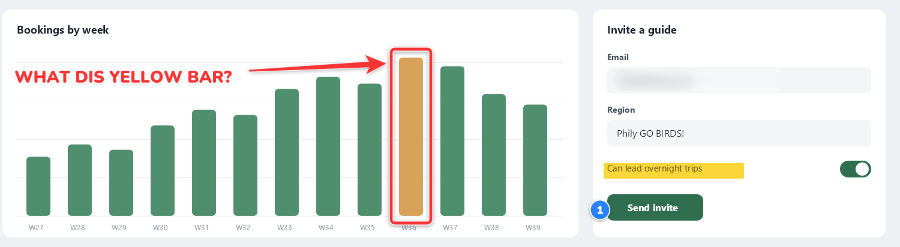
Hit the hotkey and the screen freezes. Drag out what you want and mark it up in place: arrows, boxes, labels. Bend an arrow by its middle. Ctrl+C, paste, done.

An arrow pulled out across a bar chart, a box drawn round the tallest bar, and the label WHAT DIS YELLOW BAR? typed beside it.
steps.sh
An invite form with numbered steps 1 to 4 beside the email field, the region, the overnight switch and the Send invite button.

Numbered steps are back!

Click, click, click: 1, 2, 3. Delete one and the rest renumber themselves, as they should.

/etc/spooch/palettes

Eight colors. That's it.

Eight colors, in a few palettes. Not a color wheel, not a hex field: just the ones that stand out on a screenshot. This is for annotating screenshots, not for a post-modernist Banksy vision of the Mona Lisa.

Use simple outlines for that extra uNF!11

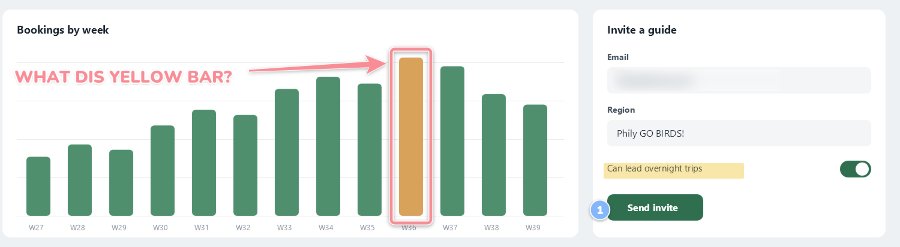
The same red label and arrow three times over a busy dashboard: with a black outline, a white outline and no outline.
one button, three moods
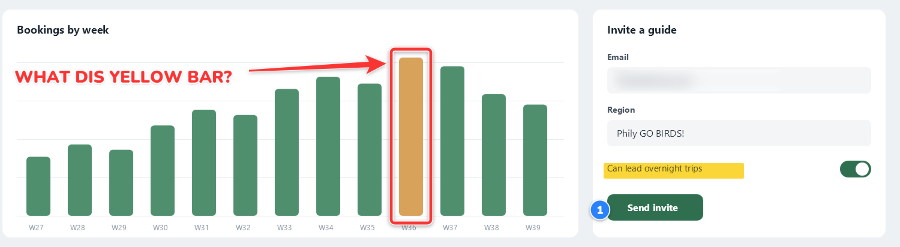
The chart capture marked up in the Vivid palette: a bright red arrow and box, yellow highlight, a blue step.
vivid
The same marks in the Soft palette, paler.
soft
The same marks in the Ink palette, darker and quieter.
ink
~/frames/

Stuff Skitch never had

A few things Skitch never had, but I always wanted. Frames, mostly.

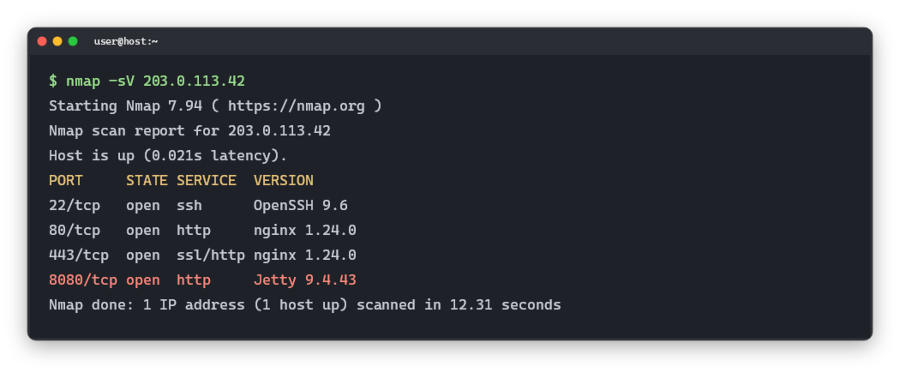
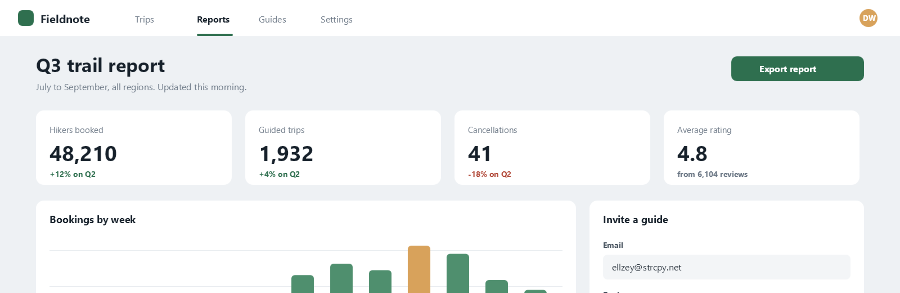
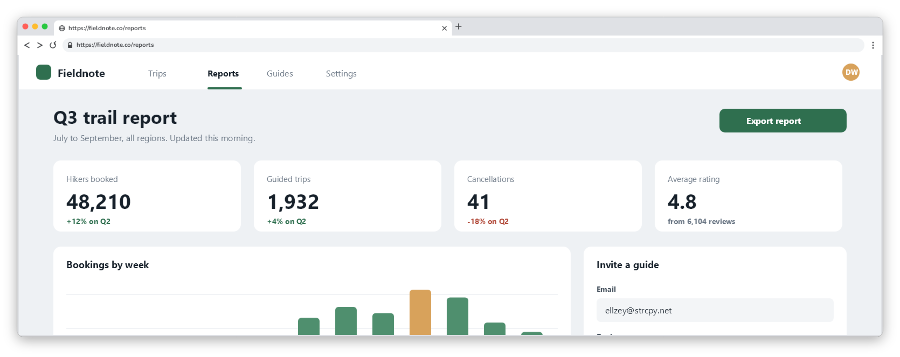
I do security research, which means a lot of blog posts, which means a lot of screenshots of terminals and web pages. Raw, they look like what they are. Framed, they look like they belong in the same post.

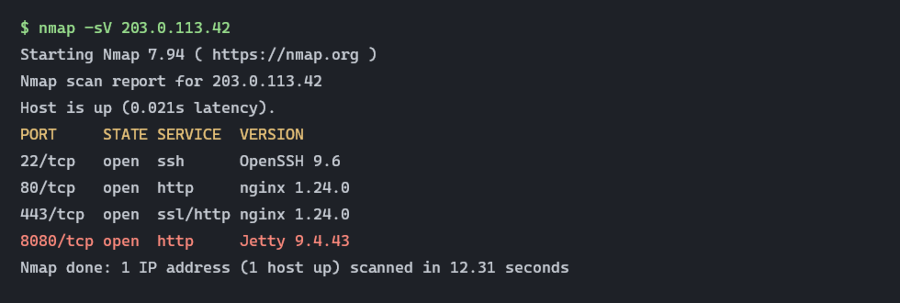
A raw screenshot of terminal output from a port scan, cut off square.
before: a screenshot of text
The same terminal output inside a rounded dark terminal window with colored dots and the title user@host:~.
after: terminal (modern)
A raw screenshot of a web dashboard, cut off square.
before: a screenshot of a page
The same dashboard inside a light browser window with a tab and the address https://fieldnote.co/reports.
after: browser (light)

Fifteen built in. Each one takes the color picker, and they're plain TOML files, so make your own.

xterm

No Electron. No browser bloat.

No Electron, no bundled browser quietly eating a gigabyte of RAM. Spooch is native and draws with Skia, the 2D library behind Chrome and Android, without the browser attached. The screen freezes the moment you press the hotkey, and the image is on your clipboard before you've let go.

README
The whole Spooch editor round a capture: a slim tool rail on the left, one row of colors and sliders on top, and an output bar below.

That's the whole thing.

A rail of tools, a row of colors, a bar to send it. The tools I want and nothing else: no thousand keybindings, no utility panels to dig through.

It's tuned entirely to my preferences. Conveniently, my preferences are correct.

INSTALL

Nobody has to know.

No account. No sync. No telemetry. Download it, use it, and nobody has to know.

I built it for myself. If it works for you too, good.

every image on this page was drawn by spooch's own renderer. no one was paid to say nice things about it.